 United States
  Australia
  United Kingdom
  Canada
  France
  Germany
  Spain
Spain  Belgium
  New Zealand
  Poland
  Portugal


Create location-based audiences for your direct mail campaigns with our new geographic targeting feature. This update lets you define precise delivery zones, service areas, or custom regions directly on a map, helping you deliver mail to hyper specific areas.
With this release, marketers can target specific areas more efficiently, minimize wasted spend, and boost campaign ROI. It’s a major step toward making Oppizi’s direct mail platform as flexible, data-driven, and customizable as your favorite digital ad tools.
Optimize your reach with new location-based targeting capabilities
Targeting specific neighborhoods or service areas previously required manual map adjustments or third-party tools. With geographic targeting, you can now:
- Upload KML files to define custom delivery zones.
- Automatically extract ZIP codes, cities, and recipient counts.
- Activate campaigns instantly using your new geographic segments.
Here’s what’s new:
1. KML file uploads for location targeting
Upload map outlines (KML files) to create precise delivery zones and service areas in seconds. You can define your exact reach based on real geographic boundaries without needing to adjust maps manually.

2. Automatic ZIP and city recognition
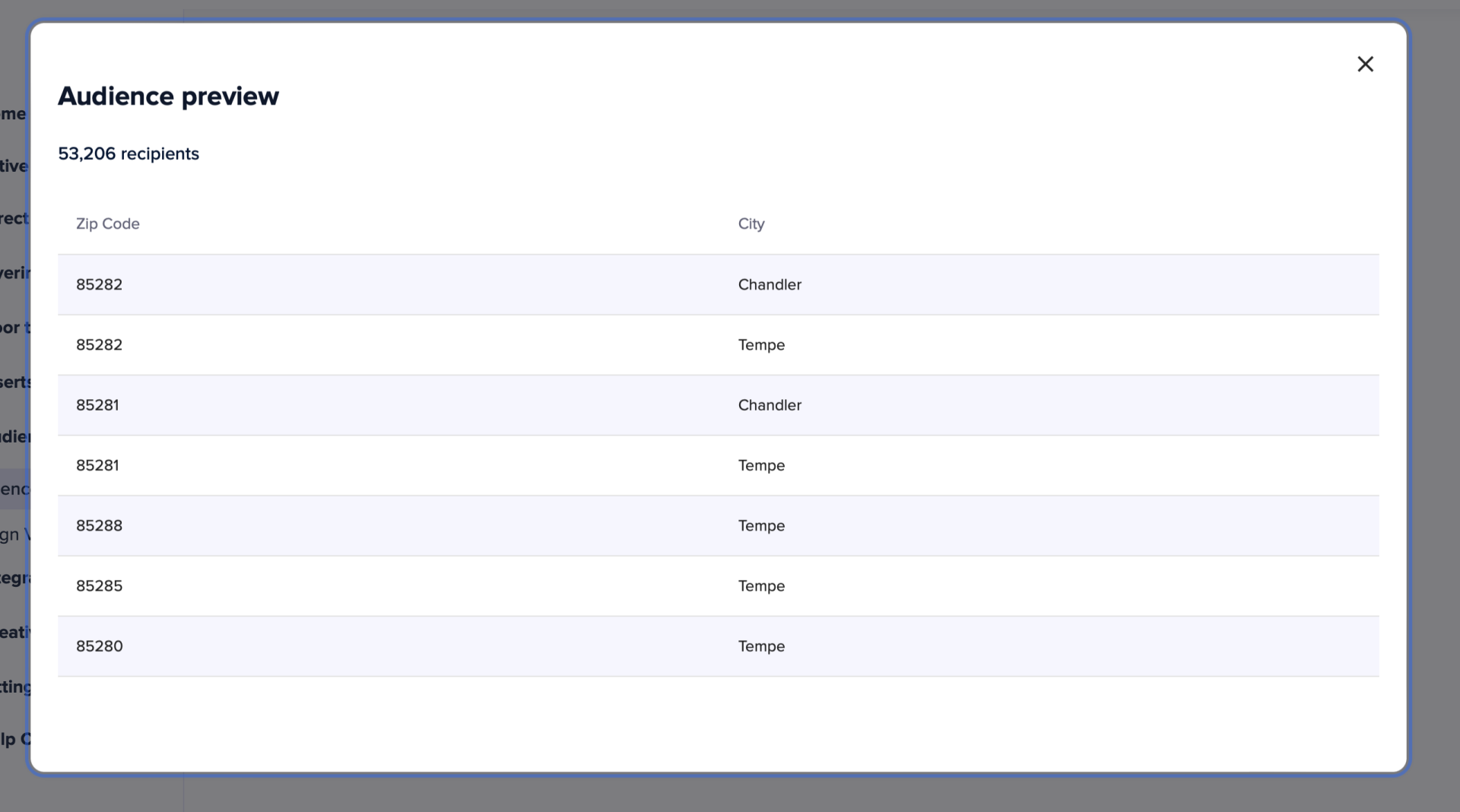
Oppizi automatically processes your KML file to list the included ZIP codes, cities/towns, and recipient counts, giving you a clear overview of your audience coverage.
3. Data Axle integration for accuracy
Integrated coordinate processing ensures your geographic segments are accurate and campaign-ready, with real recipient data you can trust.
Try geographic targeting in action
Here’s how to get started:
- Log in to your Oppizi account and navigate to Audience Management.
- Select Create geographic segmentations using map files (KML).
- Click to select or drag and drop your KML file.
- Once uploaded, view a preview showing the ZIP codes, cities/towns, and recipient counts.
- Wait for the confirmation email indicating your audience is ready.
- Head to your Campaigns page to design a new direct mail campaign using your geographic audience.
Build new geographical audiences today
Ready to get started? Log in to your Oppizi account, upload your first KML file, and experience smarter, more localized direct mail targeting.
* Product releases and availability may vary by market and are subject to regional differences in the countries where we operate.