Quick to use
A clear interface that gets you from link to finished code in a couple of minutes.
Create a free account, generate as many QR codes as your campaigns need, and watch every scan land on your dashboard.
89M
US mobile users who scanned a QR code in 2022
57%
global rise in QR code scans from 2021 to 2022
80%
more effective with brand logos and colours
36%
of scans are made to redeem a coupon
Point a code at your website, WiFi, a video, your socials, or a PDF, style it to match your brand, then see exactly how it performed.
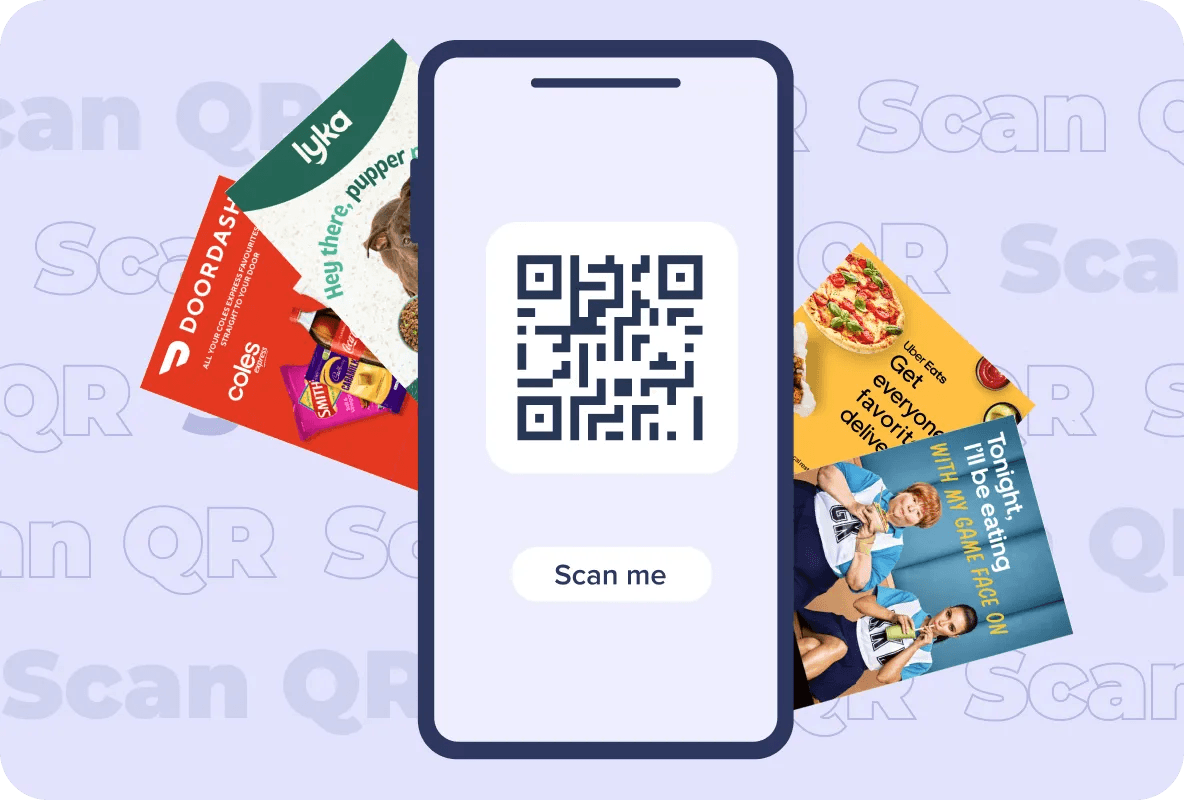
Customise it, track it, then optimise the next one.
A clear interface that gets you from link to finished code in a couple of minutes.
Websites, WiFi networks, videos, social profiles, PDFs, and more.
See the numbers behind every code, not just that it works.
A code that looks like your brand earns more scans and more trust.
Your logo, brand colours, patterns, and frames, all adjustable.
Print it on flyers, mailers, posters, packaging, or a shopfront window.
How it works
Five short steps from a link to a branded, trackable code.
The generator is free without an account. Signing up adds four things worth having:
Keep the scan history for every code, with rates, locations, and behaviour over time rather than a snapshot.
Every code you have made in a single view, so you can compare campaigns without hunting through files.
Change where a dynamic code points without reprinting the artwork or generating a replacement code.
Group codes by campaign, city, or client so the right one is always a couple of clicks away.
Most free QR tools hold the useful parts behind a paywall. Here is what you get either way.
Everything below, at no cost.
Typical generators stop here.
Industries
A few patterns worth borrowing, by sector.
A QR code, short for Quick Response code, is a two-dimensional barcode made of black modules on a light square grid. Because it stores data both across and down, it holds far more than a traditional linear barcode: a URL, contact details, plain text, WiFi credentials, and more. Any modern phone camera reads one. Scanning can open a web page, show product information, start a payment, or play a video. That combination of low cost and instant handover is why QR codes now appear on everything from restaurant tables to shipping cartons and letterbox mailers.
A plain black-and-white square does the job, but it says nothing about who is asking for the scan. A custom generator lets the code carry your brand: your logo in the centre, your colours, a frame, and a short prompt telling people what they get. That matters because a scan is a small act of trust. A code that clearly belongs to a brand someone recognises gets scanned more often than an anonymous one. Custom codes also keep error correction intact, so the code still reads when part of it is scuffed, folded, or printed slightly off.
Customisation: add a logo, change colours and patterns, and adjust shape and size to suit the artwork. Speed: a clear interface that takes you from destination to downloadable code in minutes. Brand alignment: match the code to your palette and logo so it reads as part of the campaign, not an afterthought. Engagement: a branded code earns more scans and gives people a reason to trust the destination. Analytics: track scans by total, location, device, and time, then use that to plan the next campaign. Range: the same code works on a flyer, a mailer, packaging, a poster, or a screen.
Treat it as a piece of the creative rather than a technical requirement. Start from a template, then set your colours, adjust the module shape, and place your logo in the centre. Keep contrast strong between the modules and the background, leave clear space around the edge, and avoid printing it over a busy photo. Test the finished code at the size it will actually appear, because a code that scans on screen can fail at business-card scale.
Flyers and mailers: the most direct use, giving someone a way to act on an offer the moment they read it. Packaging: product detail, instructions, reordering, or registration, without printing another page of copy. Point of sale: posters, table talkers, and window decals where people are already standing still and deciding. Wherever it lands, put the code where it can be reached comfortably, size it for the viewing distance, and say what the scan gives the person.
Mobile-first destinations: every scan comes from a phone, so the landing page has to load fast and read well on a small screen. Make sharing easy: give people an obvious way to pass the content on once they are there. Test across devices: check the code and the page on a few different handsets and operating systems before you print. Say what happens next: a short line such as "Scan for 20% off your first order" outperforms a bare code every time.
Each code you create in your account reports on its own scans, so you can tell which placement, city, or creative earned them. Scan volume: how many times the code was used, which tells you whether the placement worked at all. Location, date, and time: where and when people scanned, which is how you compare suburbs, precincts, and days of the week. Device and browser: what people scanned with, so the landing page can be built for the handsets that actually arrive.
Total scans: overall volume for the code. Unique scans: how many separate people scanned, which separates real reach from repeat scans. Scan location: the place the scan happened, useful for judging one distribution zone against another. Scan time: the date and hour, which shows when your audience is receptive. Device and browser: the phone or tablet used, so you can optimise the destination for it.
More tools
Can't find what you're looking for? Our team is happy to help.
You can change the module shapes, set your own colour scheme, place your logo in the centre, and choose a frame, so the finished code matches your brand rather than a default template.
Yes. The codes follow the standard QR specification, so any phone camera or scanner app reads them without a special reader.
Upload the logo in the design step and position it inside the code. The generator keeps enough of the pattern intact for the code to stay scannable while your mark sits front and centre.
Yes, once you have created a free account. Your dashboard reports scan volume, the time and location of each scan, and overall engagement, so you can compare one placement or campaign against another.
Yes. Enter your destination, style the code to your brand guidelines, and download it at no cost. There is no cap on how many codes you create.
Indefinitely. A static code holds fixed information and keeps working for as long as the destination stays live, which is why it is worth pointing codes at URLs you control.
They do better than anonymous ones, because people are more willing to scan something they recognise. Research puts codes carrying brand logos and colours at 80% more effective, and a short line telling people what they get lifts it further.
Unlimited branded codes, every scan tracked, and a straight line from your printed campaigns to measurable action.