Quick to use
A clear interface that gets you from link to finished code in a couple of minutes.
Make as many QR codes as your campaigns need, size them correctly for print, and watch every scan land in your dashboard. A free account is all it takes.
Point a code at your website, WiFi, a video, your socials, or a PDF, style it to match your brand, then export it large enough to scan from a leaflet, a poster, or a shop window.
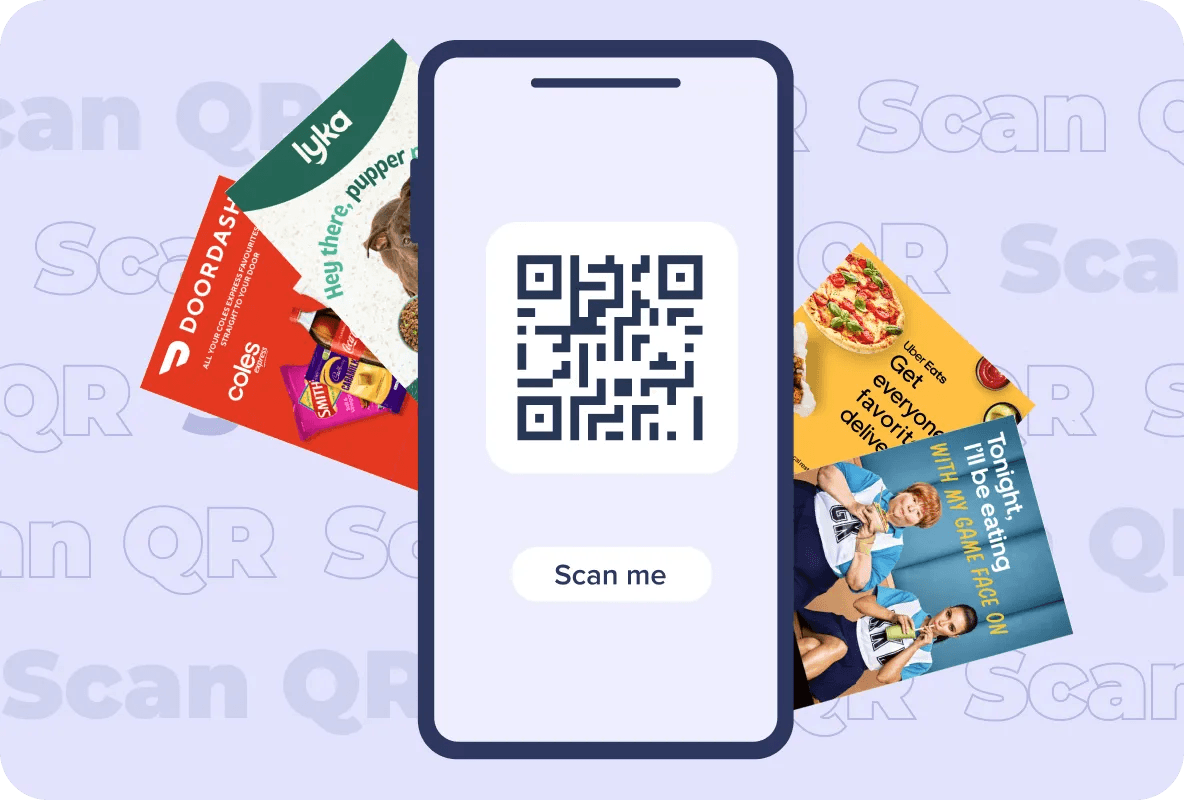
Design it, print it at the right size, then track what happens next.
A clear interface that gets you from link to finished code in a couple of minutes.
Websites, WiFi details, videos, booking pages, PDFs, and social profiles all work.
See totals, locations, devices, and times, so you know which placement pulled its weight.
A code that carries your logo and colours looks deliberate, and deliberate codes get scanned.
Logo, brand colours, patterns, and frames, with contrast kept strong enough to scan.
Export at print resolution for leaflets, posters, packaging, and window vinyl, from 2cm upwards.
How it works
Five short steps from an empty screen to a code you can hand to your printer.
Signing up costs nothing and turns a one-off code into something you can manage and measure. Four things you get:
Keep scan history for the life of the code, including scan rates, locations, and how people behave after scanning.
All your codes in a single view, so comparing a leaflet code with a poster code takes seconds.
Change where a dynamic code points after it has gone to print, no new code and no new artwork.
Group codes into folders by campaign, town, or client so nothing gets lost between drops.
Most free generators hold the useful parts back behind a subscription. Here is what sits inside ours at no cost.
All of it, free.
Typical generators stop partway.
Industries
A few uses worth borrowing, whichever market you sell into.
A QR code (short for Quick Response code) is a two-dimensional barcode: black modules arranged in a square grid on a light background. Because it stores data across two axes rather than one, it holds far more than a traditional stripe barcode, and any modern phone camera can read it. That capacity is why one small square can carry a web address, WiFi credentials, contact details, a payment link, or plain text. Scan it and the phone acts immediately, opening a page, joining a network, or starting a checkout. Retailers, marketers, event organisers, hospitality, and logistics teams all lean on them for the same reason: they turn something printed into something a customer can act on straight away.
As a working rule, do not go below 2cm by 2cm (20mm) for anything held in the hand, and give the code a clear quiet border of about four module widths on every side. On a leaflet or A5 flyer, 2.5cm to 3cm is the comfortable range. For codes read from further away, scale with distance: divide the expected scan distance by ten to get a sensible minimum width. A poster scanned from two metres wants roughly 20cm; a shop window read from four metres wants around 40cm. Denser content makes the modules smaller at the same physical size, so shorten the destination URL rather than shrinking the code, and always print a sample at final size and scan it on two different phones before the full run.
A plain black square does its job but says nothing about you. A custom generator lets the code carry your logo, your colours, a frame, and a short prompt, which is the difference between a code people notice on a leaflet and one they walk past. Ours takes a destination, then gives you templates, colour control, logo placement, and frames, with error correction handling the rest. That last part matters in print: error correction means a code still reads when the ink smudges, the paper creases, or a logo covers the centre. Add a tracked link and the same code tells you how many people scanned, from where, and on what device.
Styling: logos, colours, patterns, shapes, and frames, with contrast kept high enough to stay readable. Speed: a simple flow from destination to download, with no learning curve. Brand fit: codes that match the rest of your artwork instead of fighting it. Print-ready output: high-resolution files that hold together at small sizes and on coated stock. Reporting: total scans, location, device, and time, kept for the life of the code. Range: one code works across leaflets, packaging, posters, window displays, and digital screens.
Treat the code as part of the layout rather than something dropped in at the end. Pick colours from your palette, keep the modules dark against a light background, and place your logo in the centre where error correction can absorb it. Then check the practical details: keep the quiet border clear of text and images, avoid placing the code over a fold or a curved seam, and give it enough room that a thumb does not cover it. Sizing counts as design too, so set the physical size before you sign off the artwork, not after the printer has quoted.
Leaflets and brochures: a code near the offer gives readers a way to act while the leaflet is still in their hand. Packaging: instructions, ingredients, refills, and reorder links all suit a code on the pack. Point of sale: posters, shelf edges, and counter cards work well when the code sits at eye level and roughly at chest height. Wherever it goes, size the code for the distance it will be read from, keep it away from the trimmed edge, and tell people what they get for scanning.
Mobile-first destination: whatever the code opens must load fast and behave on a phone, since almost every scan is a phone scan. One clear promise: say what the scan gives, whether that is a voucher, a booking, or a video. Test across devices: scan the printed sample on both iPhone and Android, in daylight and under indoor lighting. Right size, right place: 2cm minimum in the hand, scale up with distance, and keep the quiet border clean. One code per placement: use separate codes for the leaflet, the poster, and the packaging so the reporting tells you which one worked.
Reporting is what separates a QR code from a printed guess. Scan volume shows whether the placement earned attention. Location and timing show which towns and which hours responded. Device and browser data show what your landing page needs to handle. Run a distinct code for each placement or drop and the numbers become a plan: more budget where scans concentrate, a new creative where they do not.
More tools
Shapes, colour schemes, patterns, frames, and a centred logo, so the code matches the rest of your artwork rather than sitting awkwardly next to it.
Keep it at 2cm by 2cm or larger for anything read in the hand, such as a leaflet, letter, or pack, and leave a clear quiet border around it. For a code read from a distance, divide the scan distance by ten: roughly 20cm wide for a poster read at two metres. Print a sample at final size and scan it before the full run.
Yes. The codes follow the standard QR specification, so any current phone camera or QR reader will handle them.
Upload it in the designer and position it in the centre. Error correction covers the area behind it, and the tool keeps enough of the pattern intact for the code to stay scannable.
Create a free account and every code you make is tracked: total scans, when and where each scan happened, and the devices used. That is what tells you which leaflet drop or poster site earned its budget.
Yes. Add your destination, style it to your brand guidelines, then download and use it. There is no cap on how many codes you generate.
Indefinitely. A static code holds fixed information and keeps working for as long as that destination stays live, and a dynamic code can be repointed later without reprinting the artwork.
A code with your logo and colours reads as intentional rather than automated, and that recognition tends to lift scans. Whatever the styling, size, and placement still do most of the work.
Unlimited codes, styled to your brand, sized for print, with every scan accounted for.