Quick to use
Paste a link, style it, download it. Two minutes, no manual.
Open a free account, build as many branded codes as your campaigns call for, and watch the scans arrive in your dashboard.
57%
rise in QR code scanning worldwide, 2022 to 2023
80%
more effective with brand logos and colours
36%
of scans are made to redeem a coupon
Point a code at your site, your WiFi, a video, a social profile or a PDF, dress it in your own colours, then watch how it performs.
Design it, publish it, then follow what happens next.
Paste a link, style it, download it. Two minutes, no manual.
From your homepage to your guest WiFi, whatever you want the scan to open.
Every scan logged, with the location, device and moment it happened.
A code carrying your logo earns more scans than a bare black square.
Logo, brand colours, pattern, frame and shape, all yours to set.
Flyers, mailers, packaging, posters, screens, vehicle wraps and shop windows.
How it works
Five short steps from a blank screen to a code you can send to print.
The account costs nothing and it is what makes a code manageable and measurable. Four things it adds:
Keep reading scan rates, locations and behaviour for the life of the code, with no window that closes.
Manage all of your codes from a single dashboard instead of hunting through downloads.
Change where a live code points when the campaign or the landing page changes.
Group codes by campaign, city or channel so the right one is easy to find later.
Most free tools give you a code and then charge for the part that matters. Here is the split.
All of it, at no cost.
Usually stops after the first two.
Industries
A few patterns worth stealing, whichever business you are in.
QR stands for Quick Response. The code is a grid of dark cells on a pale field, and because it is read in two directions at once it carries much more information than the striped barcode on a grocery item. Any recent phone camera reads one. What you put in it is open: a link, contact details, a block of text, WiFi access, a payment request, a file. The phone acts the moment it reads the code, which is why they now sit on menus, parcels, transit shelters, packaging and flyers.
A plain generator gives you a black square that works. A custom generator gives you a code that belongs to your brand and tells you what it did. With ours you paste the destination, then set the colours, add your logo, choose a frame and pick a template. The result still scans reliably, because QR codes carry error correction that copes with a logo in the middle or a scuffed corner. And because the code is registered to your account, every scan is counted.
Customization: logos, colour schemes, patterns, frames, shapes and sizes. Speed: a clear interface that does not need a manual, so a code takes minutes. Brand fit: match the code to your palette so it reads as yours on a flyer or a mailer. Engagement: a branded code invites a scan in a way an anonymous one does not. Analytics: totals, locations, devices and timing, kept for as long as the code lives. Range: the same code works on packaging, print, out-of-home and screens.
Treat it as part of the artwork rather than a technical afterthought. Pull the colours from your palette, keep strong contrast between the modules and the background, and leave a clear quiet zone around the edge. A logo in the centre is fine and usually helps. What hurts is low contrast, a pattern behind the code, or shrinking it below about two centimetres on a printed piece.
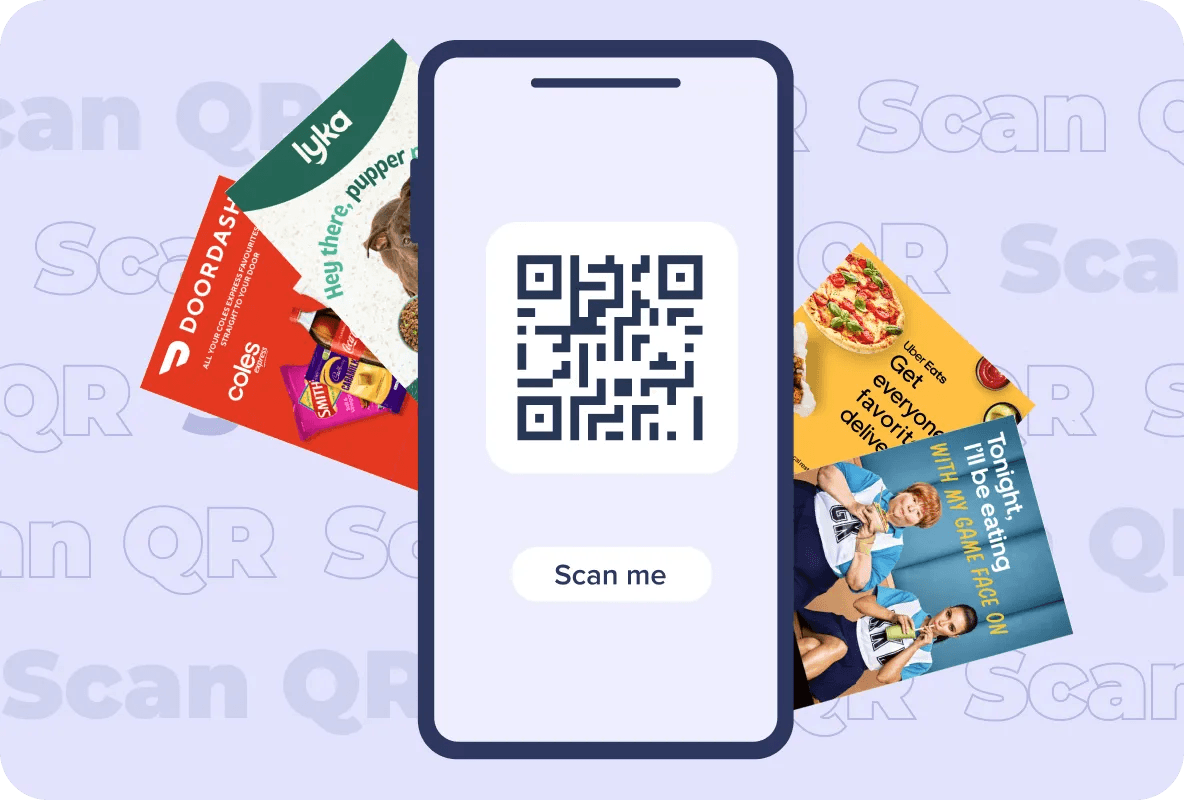
Flyers and brochures: a code beside the offer gives the reader an immediate next step. Packaging: useful for instructions, ingredients, registration or a reorder nudge. In store: shelf talkers, window signs and counter displays, at a height an adult can reach without crouching. Wherever it sits, say what the scan is worth. "Scan for C$10 off your first order" beats a bare code every time.
Send scans to a page that works on a phone. Most scans happen on a small screen, standing up, in a hurry. Test on more than one device before you print, including an older phone. Write a short instruction beside the code so the reader knows the reward. Use a separate code per placement or city, so your reporting tells you which one worked rather than lumping them together.
Any code created inside your account logs its scans. Volume: the count, and how the curve reacts after a distribution goes out. Where and when: the area and the hour, which is what tells you which zones and times deserve a repeat. Hardware: the devices and browsers doing the scanning, so your landing page can be built for what people are holding.
Total scans: raw volume. Unique scans: how many separate people, as opposed to one person scanning twice. Location: the area a code was scanned in. Timing: the day and hour, useful when you plan the next drop. Hardware: the phone, tablet and browser mix. Set those beside your conversion data and the code stops being decoration and starts carrying attribution.
More tools
You can change the module shape, set your own colour scheme, place a logo in the middle and pick a frame, so the finished code sits inside your brand rather than beside it.
Yes. They are built to the standard, so any current phone camera or reader app opens them.
Upload the file in the design view and drop it into the middle. Contrast and error correction are preserved around it, so the code still reads.
Once you have created a code in your account, its scan history is yours: totals, timing, location and overall engagement, all in the dashboard.
Yes. Paste your link, style the code, generate it and download it at no cost. The free account is what turns the tracking on.
There is no expiry. A static code carries fixed information and goes on working as long as whatever it points at is still there.
Generally yes. A code with a logo and your colours reads as trustworthy and gets noticed on a busy page, which shows up as more scans.
Unlimited codes, your branding on every one, and a record of every scan they earn.