Last updated August 28, 2026
Summary
- Oppizi OS now has a billing section to track your costs and payments.
- Retrieve every invoice in one place, without going through accounting.
- Check whether each invoice is paid or partially paid at a glance.
- Save one card or several, securely hosted by Stripe.
- For Programmatic Direct Mail, add a card once and every future wave charges automatically.
If you run campaigns with us, you know the part nobody enjoys. An invoice you cannot find when finance asks for it. A payment status only your AP team can confirm. A card number you re-key every time you launch. None of it is hard, exactly, but it adds friction to the work that matters.
The new billing section in Oppizi OS clears that up. Here is what changed.
All your invoices, in one place
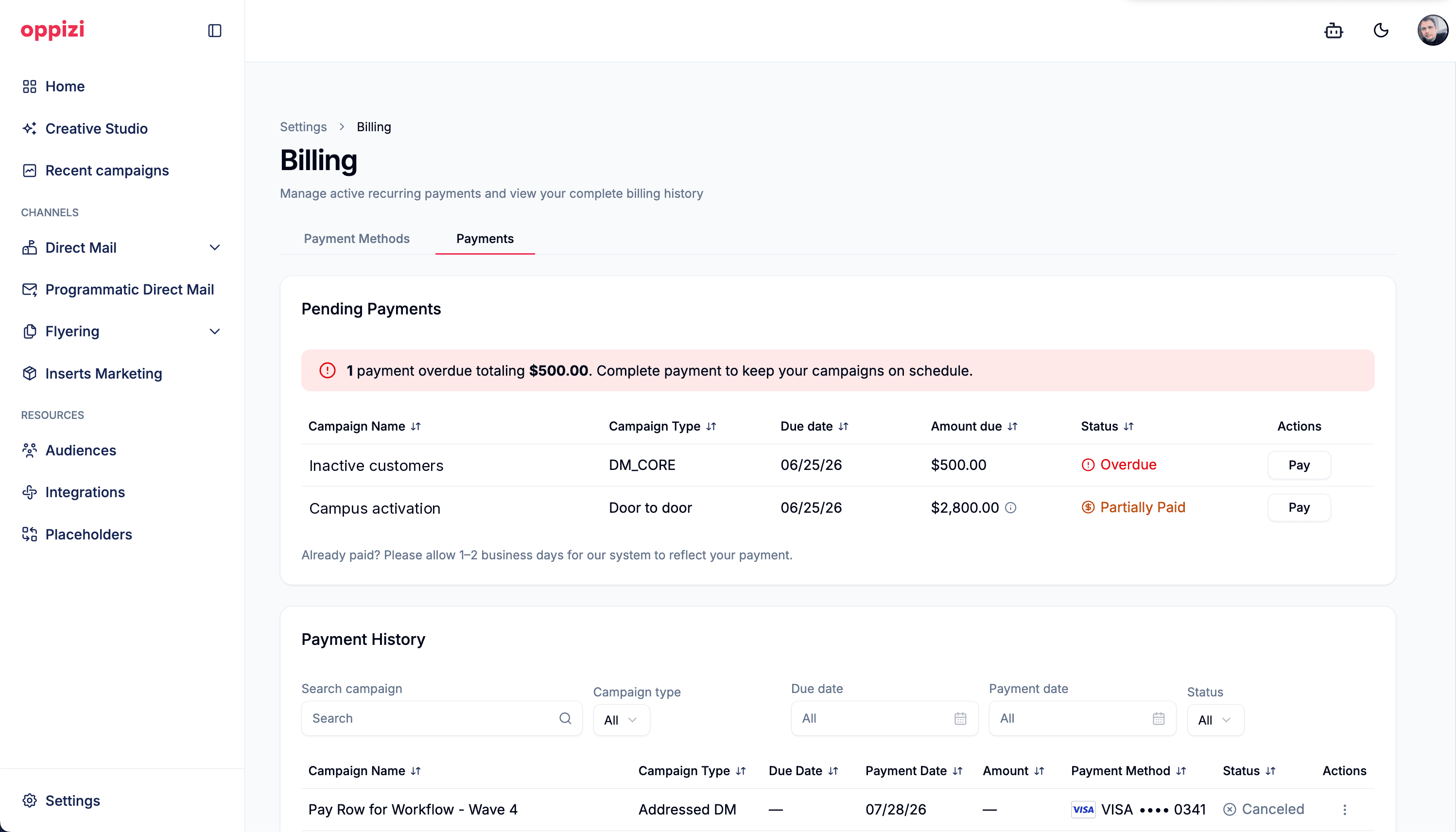
Every invoice now lives in the billing section of Oppizi OS, ready to pull up whenever you or your finance team need it. No more digging through inboxes or requesting copies. They are all there, in your account, on demand.
See payment status without asking AP
Each invoice shows its payment status, so you can see at a glance whether it is paid, partially paid, or still outstanding. The "did this go through?" question you used to route through accounting is now something you can answer yourself in a few seconds.
Save one card or several, secured by Stripe
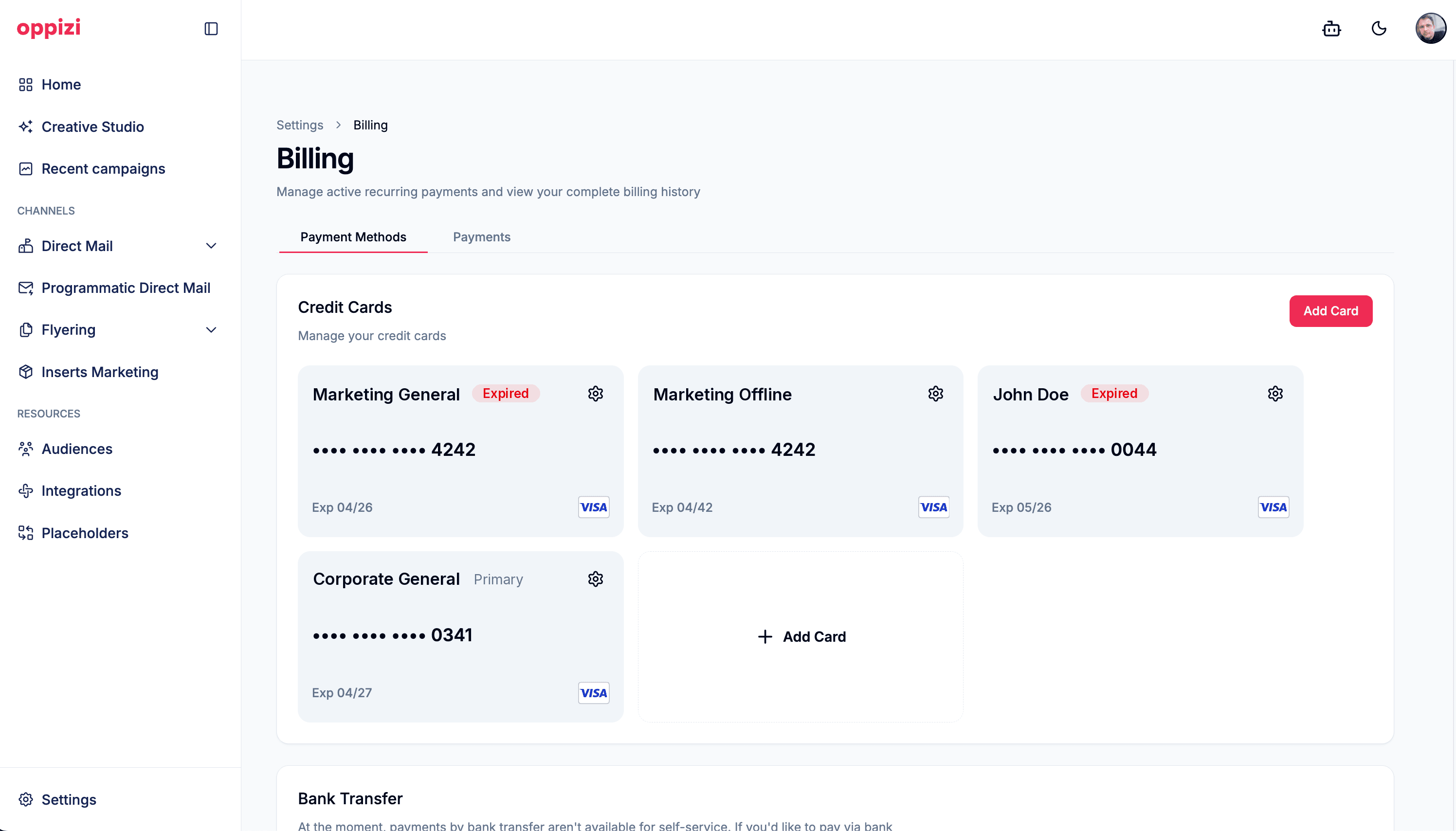
You can now save a card to your account for future campaigns, or several. Keep the marketing card, the regional card, and the one finance prefers for larger runs, all in one place, and pick the right one at checkout. Payments are hosted by Stripe, so your card details are stored to their security standard, and you are not entering them again every time you launch.
Automatic payments for Programmatic Direct Mail waves
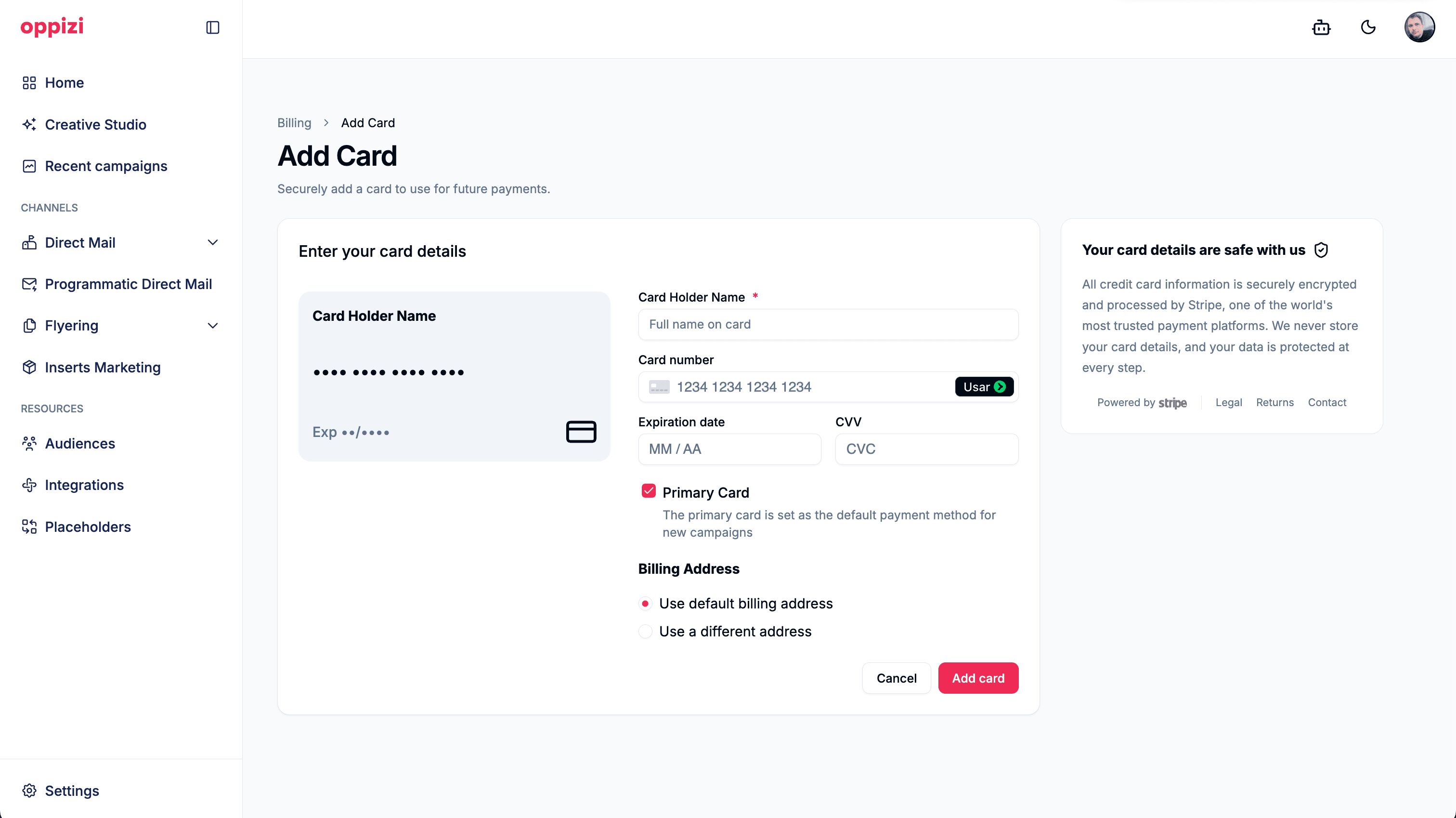
Programmatic Direct Mail runs in waves, and until now each wave meant adding payment manually before it could go out. Not anymore. Add your card once and every future wave charges automatically as it goes live. Your triggered sends stay triggered, with no payment step waiting on a human.
Where to find it
Everything lives in the billing section of Oppizi OS. Open it to see your invoices, their payment status, and your saved cards in one view.
It is a small change, and that is the point. Less time on admin means more time on the campaigns that move your numbers. Take a look next time you are in the platform.
Frequently asked questions
- Where do I find billing in Oppizi OS?
In the billing section of Oppizi OS. It brings your invoices, their payment status, and your saved cards together in one place, so you do not have to request copies or check with accounting.
- Can I see whether an invoice has been paid?
Yes. Every invoice shows its payment status, so you can tell at a glance whether it is paid, partially paid, or still outstanding, without going through your AP team.
- Can I save more than one card?
Yes. You can save multiple cards to your account and choose which one to use when you launch. All of them are hosted by Stripe, so the details are stored to Stripe's security standard rather than kept by Oppizi directly.
- How do payments work for Programmatic Direct Mail waves?
Add a card once and every future wave charges it automatically as it goes live. You no longer add payment manually for each wave, so triggered campaigns keep running without a payment step in the way.
- Is it safe to save my card in Oppizi OS?
Yes. Saved cards are hosted by Stripe, so your details are stored to Stripe's security standard rather than kept by Oppizi directly. You save a card once and avoid re-entering it for future campaigns.