Last updated August 28, 2026
In a world where grabbing attention and collecting clicks is like striking gold, Google Ads remains one of the most powerful online advertising tools. It puts brands in the spotlight, driving traffic and generating leads. But in 2025, how much are businesses really paying for Google Ads?
With many factors influencing the final cost of a campaign, it’s easy to overspend or miss out on the platform’s full potential. Studies have shown that 44% of businesses can spend anywhere between $100 and $10,000 per month on Google ads. That’s why understanding Google Ads pricing dynamics is crucial for optimizing your ROI and maximizing your business’s online reach.
In this guide, we’ll break down the factors that affect Google Ads costs and share expert tips on managing your ad budget effectively.
What is Google Ads?
Google Ads is Google's online advertising platform, allowing businesses to display ads on Google's search engine results pages (SERPs), YouTube, Gmail inboxes, the Play Store, and Google Shopping.
It operates on a pay-per-click (PPC) model, meaning you pay each time someone clicks on your ad. When users search for terms related to your product or visit a website with content related to your product, Google can deliver your ads to them.
Previously called Google AdWords, Google Ads is the largest and most popular digital ad publisher with over 80% of businesses worldwide using Google Ads for their PPC campaigns.
Types of Google Ads
Google Ads provides a variety of advertising options to help businesses promote their products or services.
Here are the most common types of ads and their uses:
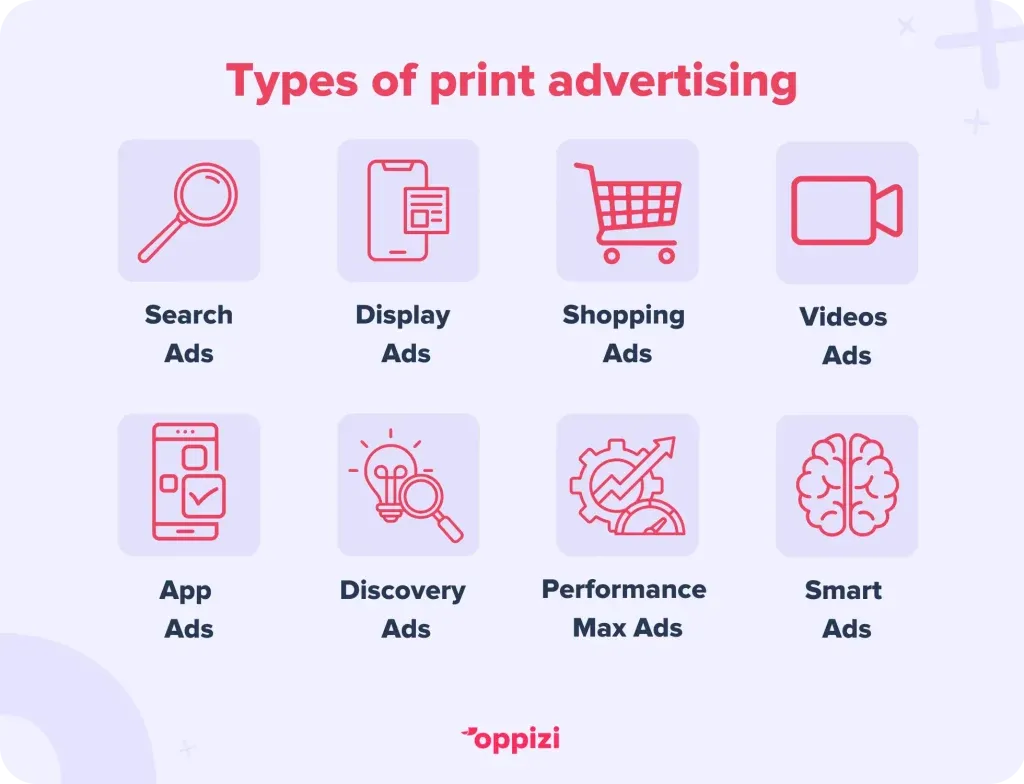
- Search Ads: Appear on Google’s search engine results pages (SERPs) when users search for specific keywords.
- Display Ads: Shown on millions of websites, apps, and Google properties across the Google Display Network.
- Shopping Ads: Showcase e-commerce product catalogs on SERPs, YouTube, and Gmail, often including images, prices, and ratings.
- Video Ads: Displayed on YouTube and Google video partners before, during, or after videos.
- App Ads: Promote apps across the Play Store, Google Search, YouTube, and other Google properties.
- Discovery Ads: Appear on Google's Discovery feed, YouTube homepage, Gmail inbox, and related SERPs, targeting users researching products.
- Performance Max Ads: A combination of AI-assisted bidding strategies across channels combined with marketing data from the company that Google states will lead to more conversions.
- Smart Ads: AI-powered campaigns that automate ad placement and bidding based on user-defined goals, similar to Performance Max but typically simpler for advertisers to set up.

Bidding and pricing models
Google Ads operates on an auction-based system to determine which ads appear across its various platforms. As an advertiser, you choose specific keywords or phrases that potential customers might search for online. By aligning your ads with these keywords, they can be displayed to users searching for related terms or browsing relevant content on partner websites.
Each time a user is eligible to see an ad, an instant auction takes place to determine which advertiser wins the placement. Whether your ad is chosen depends on a metric called Ad Rank, which is influenced by several factors, including:
- Ad and landing page quality (measured by Google's Quality Score).
- Competition - how many businesses are bidding on the same keywords.
- Search context - how relevant your keywords are to the user’s query.
- Your maximum bid - the highest amount you're willing to pay for a click or other desired action.
The maximum bid you set determines the highest amount you'll pay for a click, impression, or conversion. However, the actual cost isn't fixed and changes depending on factors like competition, search volume, expected reach, and time of day.
You need to set a bid that allows you to participate in auctions and ensures your ads stay competitive. If your maximum bid is lower than the required bid for an auction, your ad won't be shown.
Businesses can manage their Google Ads budget by setting overall campaign limits and defining a timeframe for spending. Additionally, you can set daily average budgets to maintain consistent ad spending and stay within your budget.
Google Ads pricing models
One of the benefits of advertising through Google is that you don’t pay when your ad is delivered. You only pay when someone interacts with it. There are three main Google Ads pricing models for companies to choose from:
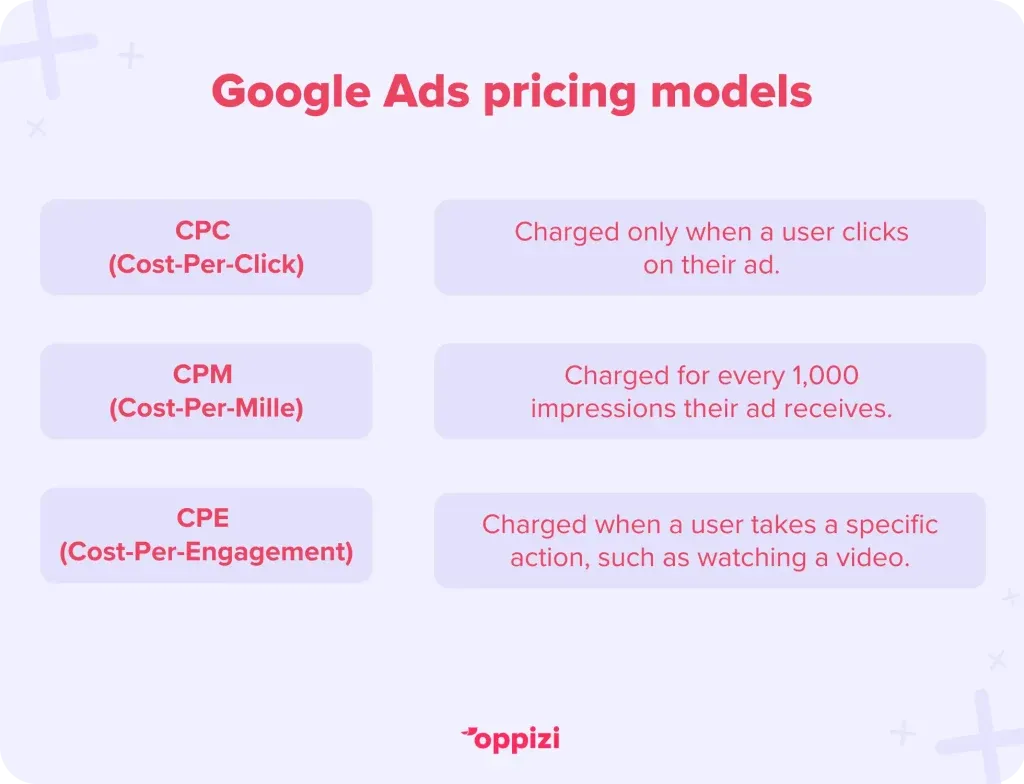
- CPC (Cost-Per-Click): You are charged only when a user clicks on your advertisement.
- CPM (Cost-Per-Mille): You incur charges for every 1,000 impressions your ad receives.
- CPE (Cost-Per-Engagement): You are billed when a user actively engages with your ad, such as watching a video.
With Google Ads, you only pay for interactions with your ad, not for its mere display.
Factors influencing Google Ads costs
Several elements dictate the cost of your Google Ads campaigns:
- Industry competition: Highly competitive industries, such as legal services or insurance, often have higher CPCs due to the demand for top ad placements.
- Keyword popularity: High-demand keywords come with steeper prices.
- Geographic location: Targeting ads in densely populated or affluent areas can increase costs.
- Ad Quality Score: Google assigns a Quality Score based on the relevance and quality of your ads and landing pages. Higher scores can lead to lower costs and better ad placements.
- Seasonality: Certain times of the year, like holidays or events, can drive up competition and costs.
Typical Google Ads costs in 2025
While costs can vary widely, here's a snapshot of average CPCs across various industries in 2025, according to data compiled by Agency Analytics:
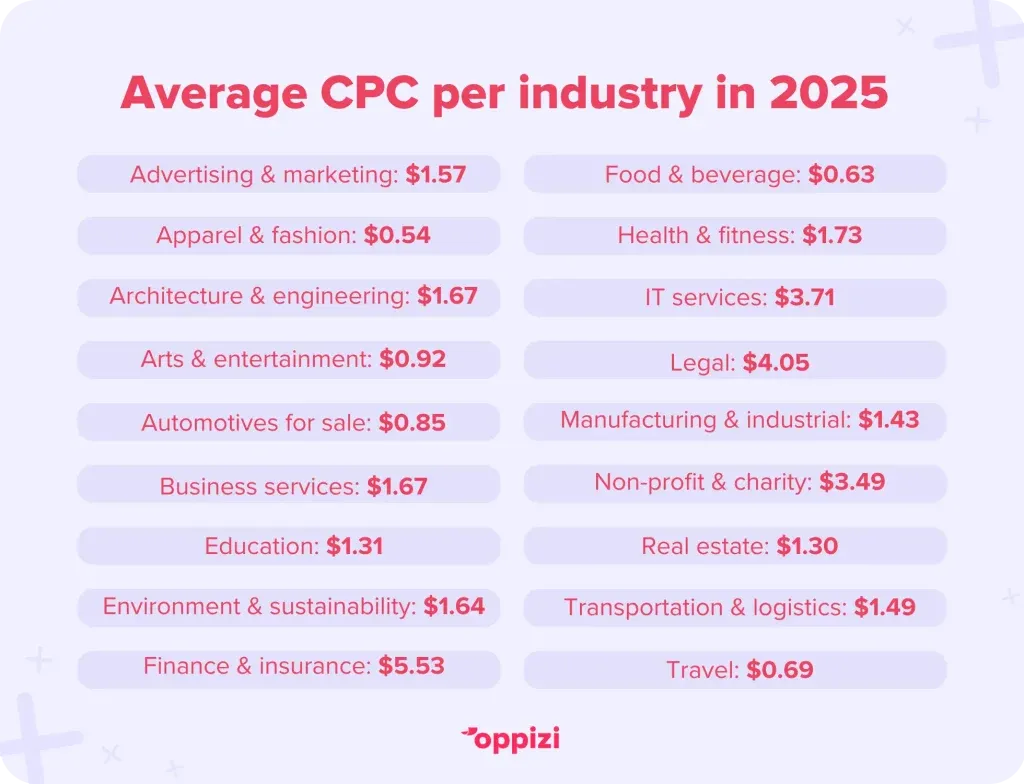
The data shows that the highest average CPC comes from the insurance and legal industries, while the lowest cost of Google Ads comes from fashion, food and beverage, and travel.
These figures also highlight the importance of strategic planning and continuous optimization in managing ad spend.
Tips for managing Google Ads costs
Many Google Ads cost strategies can help maximize ROI to get the most out of the platform and your marketing budget. Below are some tips on how to manage costs:
1. Set clear objectives
Setting SMART goals allows you to create more targeted and effective Google Ads campaigns that deliver measurable results and contribute to your overall business success. Whether your aim is to increase brand awareness, generate leads, drive sales, or achieve other specific objectives, clear objectives will provide a clear roadmap for your advertising efforts and help you maximize your return on investment.
2. Conduct thorough keyword research
Research and identify specific, relevant, high-performing keywords using tools like Google Keyword Planner and ensure that you regularly update and refine your keyword lists to ensure efficient ad spending.
3. Optimize ad quality
Google rewards high-quality ads and landing pages with a better Quality Score, leading to lower costs and better ad placement. Improve your Quality Score by writing compelling ad copy that matches your keywords and by optimizing your landing pages for relevance, user experience, and fast load times.
4. Utilize negative keywords
Negative keywords prevent your ads from showing on irrelevant searches, ensuring your budget is spent on queries that are more likely to result in sales.
5. Monitor and adjust bids
To effectively manage Google Ads costs, monitor and adjust your bidding strategy. Allocate budget to high-performing keywords and reduce spending on underperforming ones. Adjust bids based on time, location, and device. Continuous bid adjustments, guided by data, maximize ROI and prevent overspending.
Measuring ROI
Determining ROI on Google Ads involves tracking and analyzing various metrics to assess the profitability of advertising campaigns.
Below are some of the metrics you can use to measure success:
- Track conversions: Set up conversion tracking to monitor actions like purchases, sign-ups, or downloads.
- Analyze Cost Per Acquisition (CPA): Calculate how much you're spending to acquire a customer and compare it to their lifetime value.
- Assess Click-Through Rates (CTR): A higher CTR indicates that your ads are relevant and engaging to your audience.
- Review Quality Score: Aim for a high Quality Score to reduce costs and improve ad placements.
Conclusion
Now that you have a better understanding of Google Ads costs, it's time to develop a Google Ads strategy to boost your online sales.
Remember that Google Ads isn't the only way to connect with your customers. There are other complementary strategies, including offline options, that offer a different approach to communicating with your audience.
To truly optimize your marketing efforts, consider integrating your digital campaigns with Oppizi's offline marketing solutions. Combining Google Ads with strategies like Oppizi's flyer distribution can create a powerful, multi-channel approach that expands your reach both online and offline.
Enjoying our content? Follow us on LinkedIn to stay up-to-date with industry insights.
Frequently asked questions
- What is the minimum budget required for Google Ads?
There's no set minimum budget required for Google Ads - you can start with any amount. However, starting with at least $10–$50 per day can provide meaningful data for optimization.
- How does Quality Score affect my ad costs?
A higher Quality Score can lead to lower CPCs and better ad placements, as Google rewards relevant and high-quality ads.
- Can I run Google Ads for a local business?
Yes, Google Ads allows geo-targeting so you can focus on local audiences, making it ideal for local businesses.
- What industries have the highest CPCs?
Legal, insurance, and finance tend to have the highest CPCs due to high competition.
- Is Google Ads better than SEO?
Google Ads provides immediate traffic, while SEO builds organic growth over time. Both strategies work best when combined.