Last updated July 23, 2026
Sometimes, the simplest option is the best. This is often true for QR codes. You don’t always need to direct customers to a webpage or other media. There are times when all you need is to share a straightforward message. That’s where plain text QR codes are ideal.
In this guide, we’ll cover everything you need to know about plain text QR codes, including how to create them quickly and easily. We’ll also introduce our free QR code generator and answer the most commonly asked questions about plain text QR codes. Ready?
What is a plain text QR code?
A plain text QR code, also called a text QR code, shows a block of text when scanned. It doesn’t link to a website or make your phone do anything else. The text can be almost anything:
- Contact info
- Directions or instructions
- A short message
- Event details
The best part? You don’t need an internet connection to see the text. That makes plain text QR codes a great choice for offline use.

How are plain text QR codes different from SMS QR codes?
Plain text QR codes and SMS QR codes do different things. A plain text QR code shows a message on your screen when you scan it. Simple as that! An SMS QR code, on the other hand, opens your messaging app. It also fills in a pre-written message, ready for you to send.
Here’s a quick summary:
- Plain text QR codes: Show text instantly.
- SMS QR codes: Help you send a text message.
Knowing the difference makes it easy to pick the right one for your needs.
Why use plain text QR codes?
Plain text QR codes are simple and practical. Here’s why businesses love them:
- Work offline: Share important details without needing internet access.
- Versatile: Add them to product labels, event invites, or signs.
- Budget-friendly: No need to pay for a website or online services.
- Easy to make: You can create one in minutes with free tools.
How to create a plain text QR code
Making a plain text QR code is easy. Here’s how to do it:
- Go to the OppiziFree QR code generator: Select the QR type: Text.
- Write your text: Fill in the ‘name your QR code’ and ‘text content’ boxes.
- Design: Go to ‘design your QR code’. You can choose one of our templates, use our simple tools for customization, and add your own logo.
- Download: There are two ways to download your QR code and both are free! You can download without signing up, or sign up and download. The latter allows you to save and edit your QR codes.
- Test and use: Make sure it works. Test it out yourself by scanning it!
Benefits of plain text QR codes for businesses
Plain text QR codes are a smart choice for businesses. Here’s what makes them so helpful:
- Quick info sharing: Let customers see important details right away without needing internet access.
- Better customer experience: Give clear instructions or personalized messages that are easy to find.
- Eco-friendly: Cut back on printed materials by putting all the details in a QR code.
- Flexible: Use them for anything from small projects to big campaigns. They work well in all kinds of situations.
Where to use plain text QR codes
Plain text QR codes work in all kinds of situations. Here are some ways you can use them:
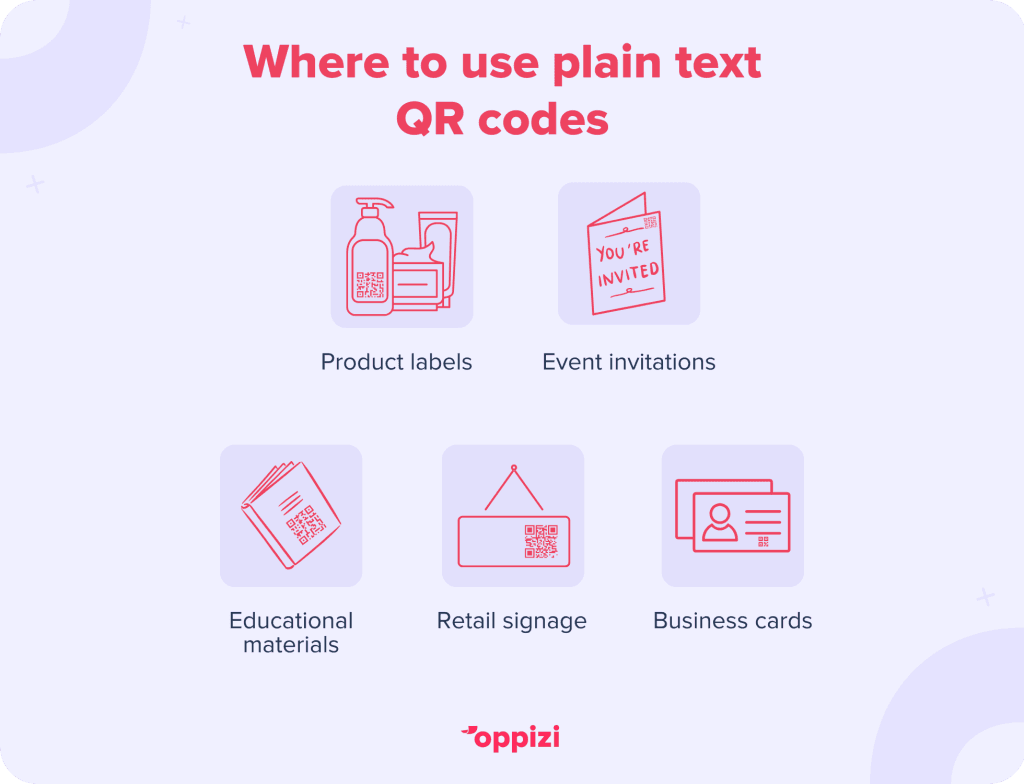
Product labels
Add a QR code to packaging to share:
- How to use the product
- Ingredients or materials
- Warranty details
Event invitations
Include QR codes with:
- Event date, time, and location
- Dress code or special instructions
- RSVP contact information
Educational materials
Use them in:
- Study guides to highlight key points
- Museum exhibits to give more information about artifacts
Retail signage
Improve in-store experiences by sharing:
- Promo details
- Customer service contacts
Business cards
Simplify your design with a QR code that shows your contact details or a short message.
Best practices for using plain text QR codes
To get the most out of plain text QR codes, keep these tips in mind:
- Keep it short: Use concise text. Long messages might feel overwhelming when displayed on a phone screen.
- Test before printing: Scan the QR code to make sure it works and shows the right text.
- Make it easy to spot: Place the QR code in a visible area and make sure it’s big enough to scan without trouble.
- Use a call-to-action (CTA): Add a simple prompt like “Scan for details” or “See product info” to encourage people to scan.
- Choose good contrast: Make sure the QR code stands out against its background so it’s easy to scan. High contrast works best.
Limitations of plain text QR codes
Plain text QR codes are helpful, but they do have a few limits:
- No interactive features: Unlike QR codes that link to websites, plain text codes can’t open links or perform actions.
- Static content: Once you print the QR code, you can’t change the text without making a new code.
Knowing these limits can help you decide when to use plain text QR codes and when to choose other options. No matter which option you choose, using QR codes for businesses is becoming essential, with global usage projected to reach 2.2 billion by 2025 according to Juniper Research.
FAQs about Plain Text QR Codes
How much text can a plain text QR code hold?
A plain text QR code can usually hold about 3,000 characters. Ideally, you want to use short messages. Too much text can create malfunctions. For best results, keep your text under 3000 characters.
Can plain text QR codes include special characters?
Yes! You can use special characters like punctuation marks and symbols. You can even include non-Latin scripts like Chinese or Arabic. Just make sure your QR code generator supports them to avoid any issues.
Do plain text QR codes need an internet connection?
No! Plain text QR codes don’t need the internet. The text is built right into the code, so it shows up immediately when scanned. This makes them perfect for places without internet access.
Are plain text QR codes secure?
Yes, they are generally secure because they don’t send users to external websites.
Can I change the text in a plain text QR code after printing it?
No, you can’t. Plain text QR codes are static. Once they’re printed, the text stays the same. If you need to update the info, you’ll have to create and print a new QR code.
How do plain text QR codes stack up against other types?
Plain text QR codes are straightforward and great for offline use. They don’t have the interactivity or tracking features of dynamic QR codes, though. Choose based on what you need.
Are there any costs to create plain text QR codes?
Most plain text QR codes can be made for free with online tools. Some sites might charge for special features like customization or analytics, but the basic text function is usually free.
How can I make my plain text QR code stand out?
To make your QR code more attractive, try these ideas:
- Add your brand’s colors or logo.
- Use unique shapes instead of regular squares.
- Include a clear call-to-action next to the code.
What if a plain text QR code gets damaged?
If the QR code is damaged, it might not scan correctly. Luckily, many QR codes have error correction built in, so they can still work even if part of them is damaged. To be safe, test your codes and print them on durable materials.
Where should I place plain text QR codes for the best visibility?
Put them in easy-to-see spots, like:
- Eye-level on posters or signs.
- Visible areas on packaging.
- Close to relevant information, like instructions or event details.
By keeping these FAQs in mind, you can create and use plain text QR codes effectively in your business or marketing efforts.
Conclusion
Plain text QR codes are a simple and cost-effective way to share information. You can use them to improve product packaging, make event invitations easier, or create engaging marketing materials.
By following the steps in this guide, you can use plain text QR codes to boost communication and connect with your audience. Get started today with our free QR code generator!