Last updated July 23, 2026
Imagine a world where events run like clockwork, where check-ins are seamless, and engagement soars. Welcome to the age of QR codes. These little squares are transforming the way we connect, especially at conferences, trade shows, and networking meetups.
They not only streamline processes but also captivate attendees and provide valuable insights into your event’s success.
If you’ve never used QR codes for events, don’t worry. This guide will walk you through everything you need to know. You’ll discover how to create QR codes for registration and learn how Oppizi’s free QR code generator can simplify your planning.
Why QR codes are perfect for events
QR codes (short for Quick Response codes) are like barcodes but smarter. Scan a URL QR code with a phone, and it can send you to a website, show information, or even start an action, like downloading an app or saving a contact.
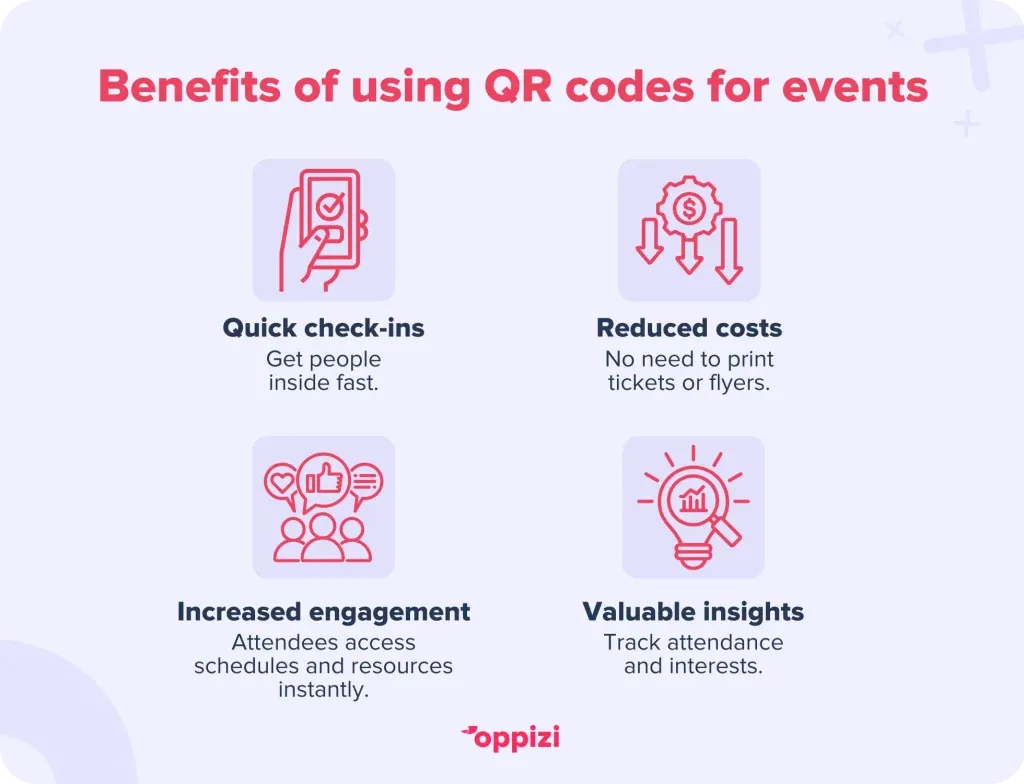
At events, QR codes make things easy. No more printed tickets, long check-in lines, or complicated sign-ups. Just scan and go. Here’s why they’re a must-have:
- Faster check-ins – Skip the paperwork and get people inside quickly.
- Lower costs – No need to print tickets, flyers, or brochures.
- Better engagement – Attendees can instantly access schedules, resources, and networking tools.
- Useful insights – Track attendance and see what interests people most.
If your event has a promotional video on YouTube, you can create a QR code for YouTube that links straight to it. Guests just scan the code and watch instantly. It’s an easy way to make your event feel more seamless.
How to use QR codes for events
QR codes can make any event run smoother. Here are some simple ways to use them:
1. Easy registration
No more long links or complicated sign-ups. A QR code can take attendees straight to your registration page with one scan. Perfect for:
- Conferences and seminars
- Networking events
- Webinars and virtual events
2. Ticketless entry
Forget paper tickets. Attendees can store their tickets on their phones and check in with a quick scan at the entrance.
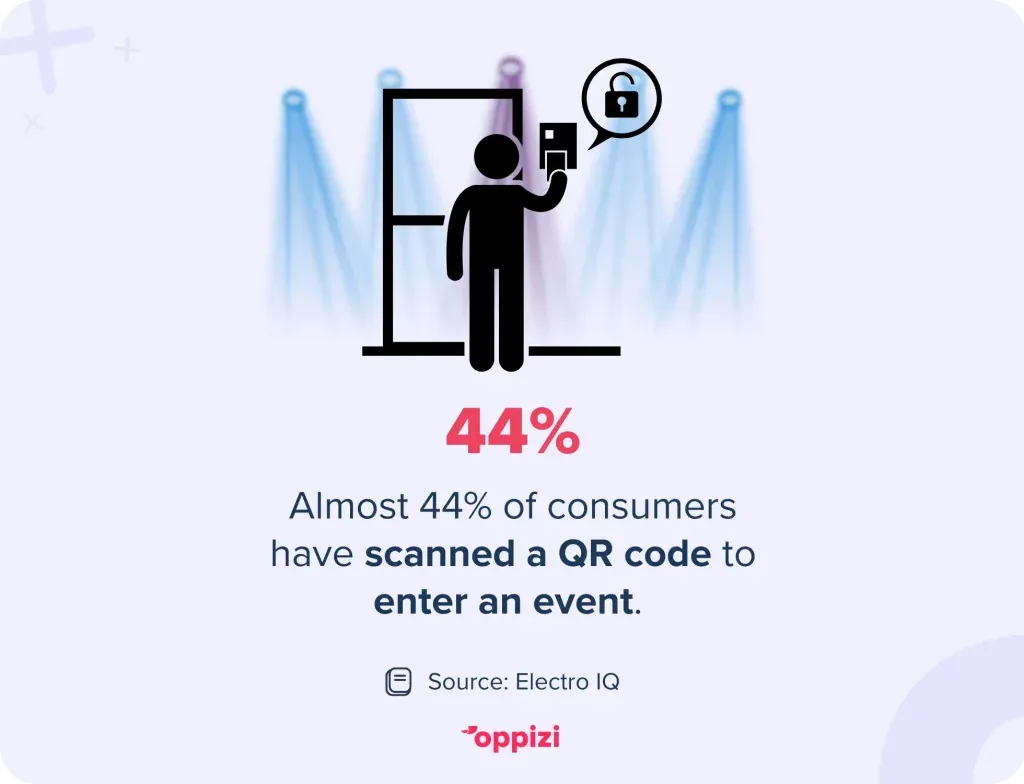
Nearly 44% of consumers have used a QR code to enter an event, and that number is growing. Why? Because QR codes make entry faster, easier, and more cost-effective for both organizers and attendees. Simply put, using them is a win for everyone.
3. Instant event info
Put QR codes on posters, flyers, or invites so guests can easily access event schedules, speaker details, and venue maps.
4. Better networking
Help people connect faster. Attendees can scan each other’s QR codes to exchange LinkedIn profiles or contact details.
5. Quick feedback
Want to know what worked and what didn’t? Use QR codes to send attendees to a short feedback form after the event.
6. Special offers & giveaways
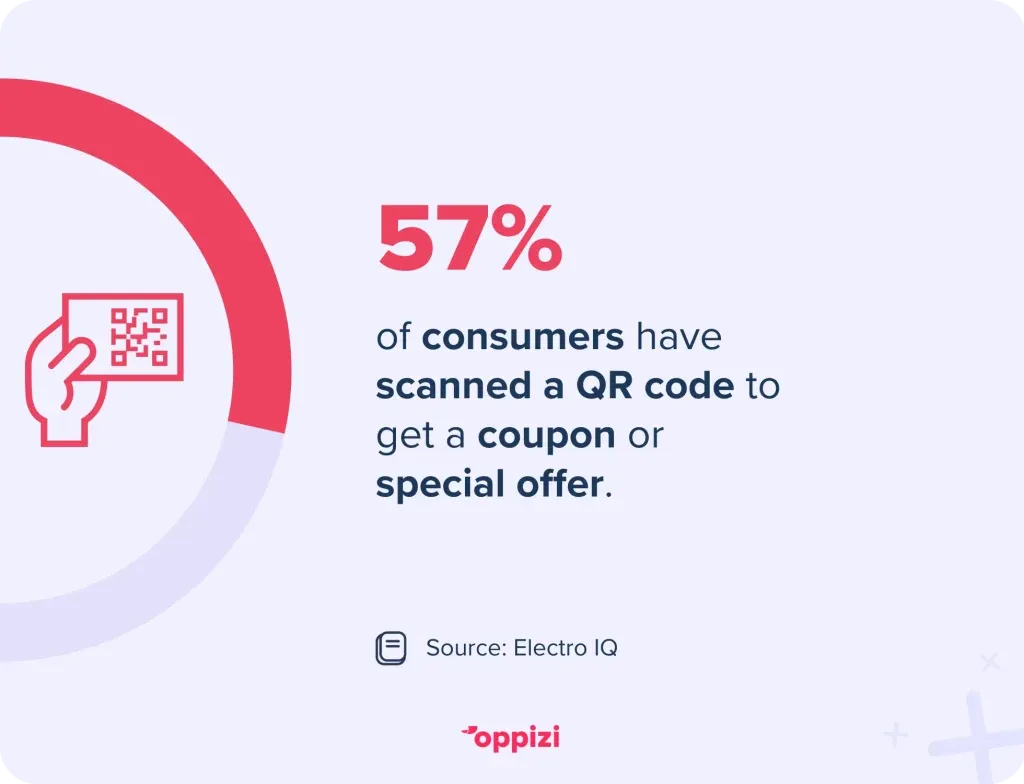
Make your event more exciting. QR codes can unlock discounts, freebies, or contest entries to boost engagement. That’s why 57% of consumers have scanned a QR code to get a coupon or special offer. As QR codes become more popular, their use for providing special offers will also increase.
Want an easier way to handle event logistics? QR codes can help!
How to create a QR code for event registration
Making a QR code for event sign-ups is easy. Just follow these steps:
1. Pick a good QR code generator
Not all QR code tools are the same. Look for one that lets you:
- Add your branding, colors, and logo.
- Edit the code even after printing (dynamic QR codes).
- Track scans to see how many people used it.
Oppizi’s free QR code generator does all this. It’s simple to use and great for events.
2. Add your event registration link
Copy and paste the link to your event sign-up page. This is where people will go when they scan the code.
3. Customize the QR code
Make it match your event by:
- Changing the color to fit your theme.
- Adding your logo in the center.
- Tweaking the design so it stands out.
4. Test it
Before sharing, scan it on different phones to make sure it works.
5. Share it everywhere
Once it’s ready, get it in front of people. Post it on:
- Email invitations
- Social media
- Event posters and flyers
- Digital ads
A simple scan gets people signed up in seconds!
Why use Oppizi’s free QR code generator?
Event planning is hard enough. That’s why Oppizi offers a free QR code generator to make things easier. Here’s what makes it a great choice:
- It’s free. No hidden fees or subscriptions.
- It’s customizable. Add your logo and colors to make it yours.
- It’s dynamic. Change the link anytime, even after sharing.
- It’s trackable. See how many people scan it and when.
- It’s easy to use. No tech skills needed—create one in minutes.
Whether you’re running a small workshop or a big conference, Oppizi’s QR code generator helps keep things simple.
Best ways to use QR codes at events
To get the most out of your QR codes, follow these tips:
1. Place them where people will see them
Put QR codes in spots where they’re easy to scan, like:
- Registration desks
- Event entrances
- Posters and banners
- Digital invitations
2. Make it clear what to do
Not everyone knows how QR codes work. Add a short note like, “Scan with your phone camera to register.”
3. Use a mobile-friendly link
Make sure the page your QR code leads to works well on phones. A slow or clunky site will turn people away.
4. Track your scans
Use the tracking feature to see how many people scan your code. This helps you understand what’s working.
5. Test before the event
Try scanning the code on different devices before using it. Fix any issues early.
A well-placed QR code can make event check-ins and engagement effortless!
How businesses use QR codes at events
Still not sure if QR codes are worth it? Here are a few real examples:
- Tech Conference: A company used QR codes for check-ins and cut wait times in half.
- Charity Gala: A nonprofit raised more money by linking a QR code to their donation page.
- Product Launch: A brand built excitement by giving sneak peeks to anyone who scanned their QR code.
Keep in mind that QR code trends are constantly evolving. Usage is rising, more industries are adopting them, and integration with AI and other technologies is making them even more useful. Staying up to date will help you use QR codes as effectively as possible.

FAQ: QR codes for events
Got questions? Here are the answers to the most common ones.
1. How do I create a QR code for an event?
It’s simple:
- Use a free QR code generator like Oppizi’s.
- Enter the link for your event registration or details.
- Customize it with your logo and colors.
- Test it to make sure it works.
- Share it on invites, posters, and social media.
With Oppizi, you can make a trackable QR code in minutes—no tech skills needed.
2. What is a QR code system for events?
It’s a way to make events easier to manage. QR codes help with:
- Registration: Scan to sign up.
- Check-ins: No paper tickets—just scan and enter.
- Info sharing: Give instant access to schedules and maps.
- Networking: Attendees can swap contact details with a scan.
- Feedback: Use QR codes for post-event surveys.
This makes everything smoother for both organizers and guests.
3. How do I get a QR code for my venue?
Here’s how:
- Decide what info you want to share (map, directions, parking).
- Use Oppizi’s QR code generator to link to it.
- Customize the QR code to match your branding.
- Print and display it at key spots in your venue.
Attendees can scan and get all the details instantly.
4. What is an RSVP QR code?
It’s a scannable code that takes people to an RSVP page. Instead of typing a long link, guests scan the code to confirm attendance. Perfect for:
- Weddings and private events
- Corporate gatherings
- Networking events
You can create one for free with Oppizi’s QR code generator.
5. How do I create an RSVP link for an event?
- Set up an RSVP page (Eventbrite, Google Forms, or your website).
- Copy the link.
- Use Oppizi’s tool to turn it into a QR code.
- Share it on invites, social media, and event pages.
This makes it easier for guests to respond.
6. What is a QR code for attendees?
It’s a personal code that helps guests:
- Register: Scan to sign up.
- Check in: Acts as a digital ticket.
- Get event details: Access schedules, speaker info, and maps.
- Network: Share contact info or LinkedIn profiles.
QR codes keep things simple and make events more engaging.

Make your event easier with QR codes
QR codes are not merely a passing fad—they’re revolutionizing the way we approach events. They simplify registration, speed up check-ins, and enhance connections among guests.
Want to see how easy it is? Try Oppizi’s free QR code generator. It’s quick, customizable, and trackable. Get started now! Create your event QR code in minutes and make your next event run smoother than ever.